

When it comes to browsing the web on an iPhone, most users don’t give much thought to the magic behind the scenes. Enter DNS, or Domain Name System—a fancy term for the internet’s phonebook. It translates those long, complicated website addresses into easy-to-remember names. Think of it as the friendly librarian who knows exactly where that book is, even if you can’t remember the title.
But why should anyone care about DNS? Well, understanding DNS on an iPhone can boost internet speed, enhance security, and even help access blocked websites. So, if you’ve ever found yourself frustrated by slow loading times or mysterious error messages, it might be time to dive into the world of DNS. Let’s unravel the mystery and discover how this little-known hero can make your iPhone experience smoother and more enjoyable.
What Is DNS on iPhone?
DNS, or Domain Name System, translates user-friendly website names into IP addresses. This function simplifies how iPhone users connect to the internet.
Understanding DNS Basics
DNS acts as the internet’s directory service. Users type in a website name, and DNS servers convert it into an address that computers understand. This system enables swift connections to websites. Users benefit from enhanced browsing speeds when DNS is correctly configured. Several DNS providers, including Google and Cloudflare, offer faster resolution times. Security features, such as DNS over HTTPS, also protect user data from potential threats.
Role of DNS in Internet Navigation
DNS plays a crucial role in navigating the internet. When a user enters a website address, DNS determines where to find that site. Reliable DNS can reduce loading times and improve overall browsing efficiency. Users often encounter error messages when the DNS fails to resolve an address. Correctly setting up DNS on an iPhone can help access blocked content and ensure a smoother online experience. Choices in DNS settings directly impact internet speed and security.
How to Access DNS Settings on iPhone
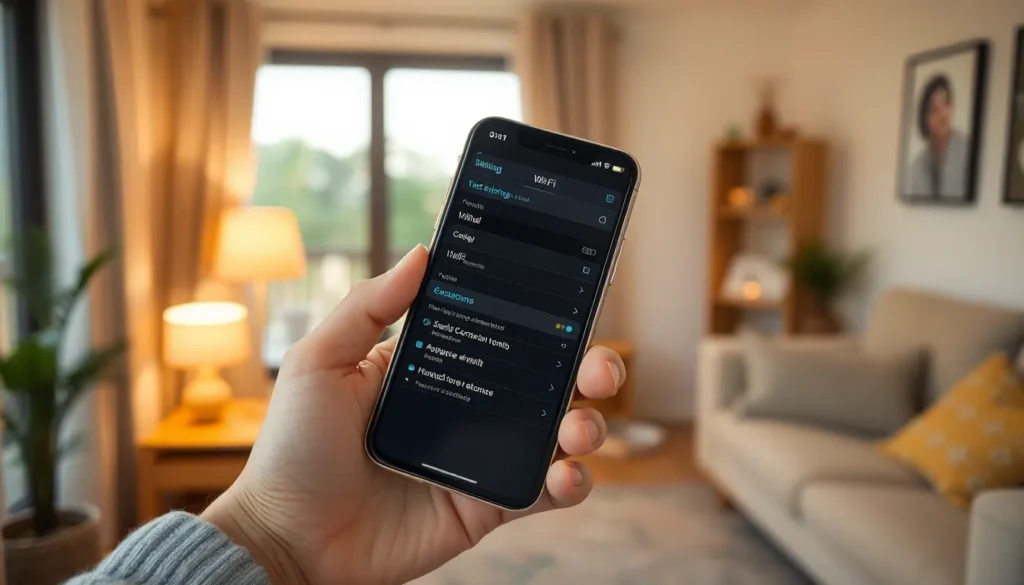
Accessing DNS settings on an iPhone is straightforward. Users can adjust these settings to enhance their browsing experience.
Navigating to Settings
First, open the Settings app on the iPhone. This app features a grey icon with gears. Scroll down and select Wi-Fi. Tap on the connected network to view its details. At this point, users can find the DNS settings option.
Configuring DNS Options
To configure DNS options, locate the DNS section within the network settings. Click on the “Configure DNS” field. Choose Manual to enter custom DNS servers. Input preferred DNS numbers, such as 8.8.8.8 for Google or 1.1.1.1 for Cloudflare. Save the changes before exiting. Users can now enjoy improved speed and security while browsing.
Benefits of Custom DNS on iPhone
Custom DNS settings offer several advantages for iPhone users. Users can expect enhanced speed and security, leading to a more efficient browsing experience.
Improved Speed and Performance
Custom DNS servers often provide faster response times. Many popular providers, like Google and Cloudflare, optimize their servers to reduce latency. When a DNS server returns an IP address more quickly, users experience shorter loading times on websites. Search results load faster too, enabling smoother navigation through content. Switching to a reliable DNS can eliminate delays during peak internet usage, making it an effective upgrade for those struggling with slow connections. Users also notice improved performance for streaming services, contributing to uninterrupted viewing experiences.
Enhanced Security Features
Custom DNS settings often enhance online security. They block malicious websites and protect against phishing attacks, minimizing risks during web browsing. DNS over HTTPS encrypts DNS queries, safeguarding sensitive user data from potential eavesdropping. Custom DNS services also regularly update their threat intelligence databases, providing real-time protection against new threats. Users benefit from increased privacy as well, as many providers do not track browsing habits or personal information. By choosing reputable DNS servers, iPhone users can foster a safer online environment.
Popular DNS Services for iPhone
iPhone users benefit from a variety of DNS services that enhance their browsing experience. Here are two of the most popular options.
Google Public DNS
Google Public DNS offers an effective solution for faster internet connections. With IP addresses 8.8.8.8 and 8.8.4.4, it often reduces loading times for websites. Users frequently notice improved response times due to its extensive global network of servers. Enhanced security features protect against various online threats and help block malicious sites. Google’s DNS also prioritizes user privacy, ensuring that no personal information is collected. Many iPhone users appreciate its simplicity and reliability when configuring network settings.
Cloudflare DNS
Cloudflare DNS focuses on speed and security, making it an excellent choice for iPhone users. The service uses IP addresses 1.1.1.1 and 1.0.0.1, providing quick responses to queries. Enhanced privacy protections, like not logging user data, attract those concerned about their online footprint. Cloudflare’s DNS over HTTPS feature encrypts queries, offering additional security against snooping. This DNS service appeals to users looking to bypass content restrictions while enjoying faster browsing. Many have praised Cloudflare for its seamless integration and ease of use on iPhones.
Understanding DNS on an iPhone is essential for anyone looking to enhance their online experience. By configuring DNS settings, users can significantly improve browsing speed and security. Custom DNS servers like Google and Cloudflare not only provide faster response times but also offer features that protect against online threats.
With simple adjustments in the iPhone’s settings, users can access a more efficient and safer internet. This small change can lead to quicker loading times and a smoother browsing experience. Embracing the benefits of DNS is a smart move for anyone wanting to navigate the web with ease and confidence.